How to add an AI chatbot agent to your website (RAG tutorial)
Would you like to add a chatbot to your website that sends emails, arranges meetings, and knows your entire website by heart? Read more in the article.
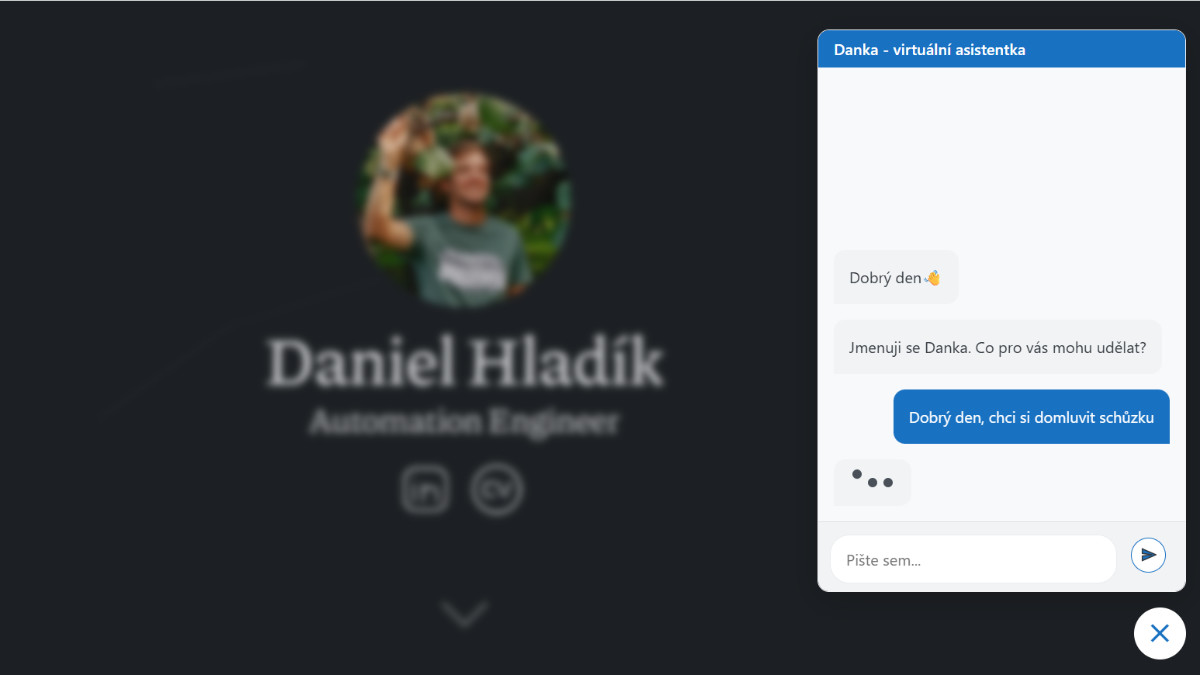
Do you want a chatbot on your website that really knows your products, services, price lists, or documentation and doesn’t just respond with general phrases? In this article, I will guide you through the creation of an “agent” chatbot built using the n8n tool. We will show you how to use the RAG method to connect AI with your website data and how to enable the agent to perform actions such as sending emails or arranging meetings.
Article content:
- What does RAG mean and why would you want it?
- How to create your own chatbot and add it to your website
- Summary: How it all works in a nutshell
- What to watch out for
What does RAG mean and why would you want it?
Before we get to the actual creation, we need to understand a key concept without which the model would not give us relevant answers. That concept is RAG.
The abbreviation RAG (Retrieval-Augmented Generation) translates into Czech as generation augmented by retrieval. It is a concept that prevents your AI model from “hallucinating” (making things up), but instead generates answers based on a knowledge database that you provide.
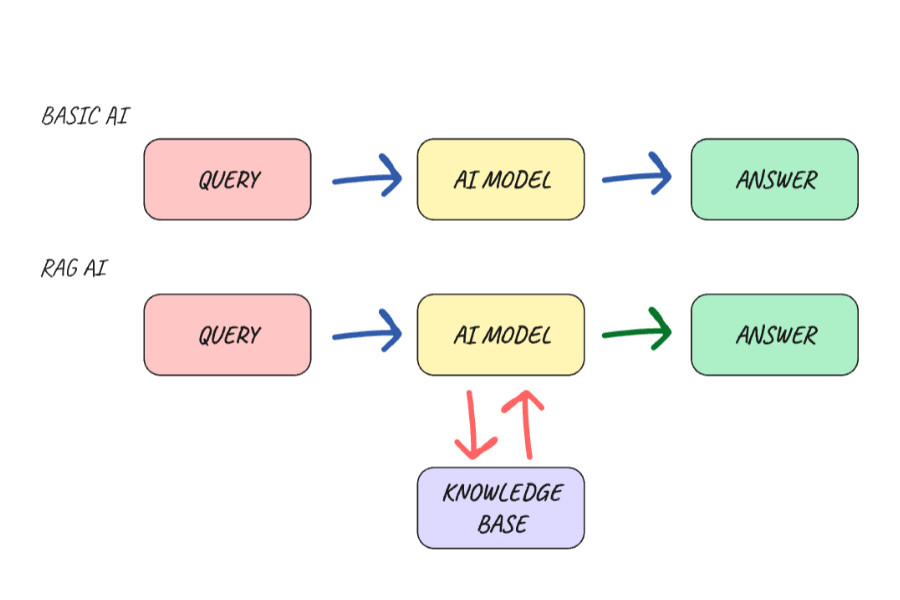
A regular AI model is like a highly educated person who, however, stopped following the news at a certain point and knows nothing about your specific business. If you ask them something from your internal documentation, they won’t know and may even make things up. If you give that same person your materials (price list, documentation, articles, FAQ) and tell them, “Answer only based on what you find here,” they will find the right answer. This is how the RAG AI Model works in a very simplified way.
How the RAG process works in practice:
- Data preparation: Documents cleaned of duplicates and unnecessary content are broken down into smaller pieces. These pieces are converted into vectors using an embedding model and stored in a special vector database, where AI can effectively search them according to context.
- Query processing: When a user asks a question, the system converts the query into a vector using the same model and finds the closest contextual match in the database. It then extracts only those paragraphs that are relevant to the question.
- Answer generation: These selected paragraphs are appended to the original question and sent to the LLM model, which compiles them into a final answer. The answer therefore includes not only the knowledge trained in the LLM model, but also the information found.
How to create your own chatbot and add it to your website
There are several ways to build a smart AI chat and place it on your website. I really like the low-code automation tool n8n, where you can visually see how information flows from one node to another in the workflow. So I will describe the implementation using this tool.
For those of you who are unfamiliar with it, n8n is like a virtual Merkur construction kit, but for automation. It has LangChain building blocks integrated directly into it, so you can create complex agent systems without writing a single line of code.
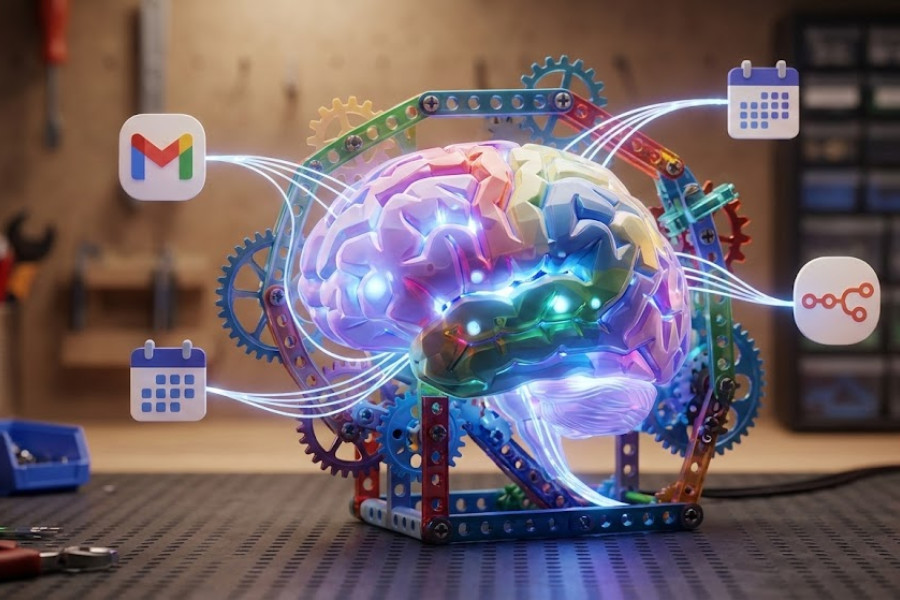
What we will need:
- n8n - The central brain. It orchestrates the workflow and provides a chat interface for users to ask questions and give instructions.
- Vector database - A place to store our own data in a form that AI understands.
- Embedding model - A tool that converts your human text into numerical vectors.
- Connection to LLM model - A pre-trained AI model (Gemini, Chat GPT, local LLM, etc.) that gives the agent the ability to understand and generate text.
- Memory database - A database used to help the agent remember what the user wrote a minute ago.
- Google account - For integration with Gmail (sending emails), Google Drive (reading documents), and Google Calendar (scheduling meetings).
Now that we’ve covered the theory, let’s roll up our sleeves and see how to turn these concepts into reality. You don’t even need to be a programmer to create a functional system that makes sense. All you need to do is understand how to properly connect the individual building blocks, from the database to the chat window itself.
Are you interested in how much it costs to run such a chatbot? Send me a message or arrange a FREE 30 min consultation with me, where we can discuss it together :)
Step 1. Preparing data and storing it in a vector database
In my case, I want the AI agent to have the context of the entire website. So I need to somehow get the information from the website into a vector database, from which the LLM model will take information to process responses. We will use data from the sitemap for this. We will download the URLs of the pages on the website and convert them from XML format to JSON.
Then we will load the content of each page via a GET HTTP request and clean up any excess ballast. We don’t need the entire structure of the website, such as the header or footer. Finally, we will convert the resulting HTML content into Markdown format, which AI models understand better. And we have the input data from the website ready.
What other data can you feed your AI agent? You can supplement the input data with files from your Google Drive, such as PDF files, spreadsheets, text documents, etc. However, it is important to always think about the security of sensitive data and only feed the agent what it really needs for its role. Remember that as the amount and complexity of data grows, so does the need to properly clean and optimize RAG for fast and accurate responses.
Now we can store the cleaned data in a vector database, from which the AI agent will retrieve information to compile relevant responses. However, text cannot be stored directly in a vector database. In order for AI to search it effectively, the text must first be converted into a digital fingerprint (vector). This is done using the aforementioned embedding models.
Before final storage in the vector database, the text must be divided into smaller units, known as “chunking.” The idea is that the model is not presented with the entire 42-page terms and conditions of an e-shop (which no one reads anyway) at once, but only with smaller units relevant to the query. This significantly saves the model’s context window and the associated costs of tokens, which are paid for based on consumption.
Typically, the size of a single chunk ranges from 500 to 1,000 characters with 10-20% overlap. This overlap is crucial to ensure that the context is not lost when the text is divided and that the idea continues smoothly in the next block. The division itself is then carried out according to logical rules, most often according to paragraphs or headings.

Ideally, we store data that has been cleaned and broken down into smaller parts in the vector database. In order not to lose the context from which the data originates, we add the URL address and the date of the last update of the website to the metadata. The agent can then include a link to the source in its response, which increases its credibility and allows the questioner to verify the answer directly at the specific link.
Step 2. Building the Agent with its tools
In n8n, we connect the AI Agent to our vector database. This gives it its long-term memory from the sources we have stored for it in advance. In order for the agent to remember what the user wrote a minute ago, it also needs to have short-term memory, where the history of the conversation will be stored.
Now we have a RAG AI Chatbot, but we still can’t call it an agent chatbot. What makes an ordinary chatbot a real agent is its ability to act in real time. In this case, we will add a tool that allows it to send emails from our Gmail account. We can also give it access to the calendar so that it knows when there are free slots for scheduling a meeting and then enters the meeting into the calendar.
If we wanted to, we could give it access to search the internet or connect to various external APIs, whether for weather, exchange rates, or e-shop order statuses, or query customers directly in its CRM in real time.
Step 3. System prompt optimization, thorough testing, and re-ranking
The most important part is defining the system prompt. This is a set of instructions that defines the agent’s personality, goals, and boundaries. We must not forget to define how it should use the connected tools. Once we are satisfied with the instructions for the AI Agent, we will start testing. We will test the relevance of responses and behavior according to predefined scenarios.
If we find that the agent is responding inaccurately, we have several options for what to do about it. For example, we can modify the system prompt, try a different AI model, or refine the selection of data from the vector database using re-ranking.
The re-ranking model acts as a second, stricter filter. It goes through the results from the database again, more thoroughly, and ranks them according to their actual relevance to the query. Only the best pieces of information are sent to the final model to generate a response. In our specific case, however, re-ranking is not absolutely necessary due to the smaller volume of input data, but it is good to know about it once your system starts to grow.
Step 4. Automatic data update
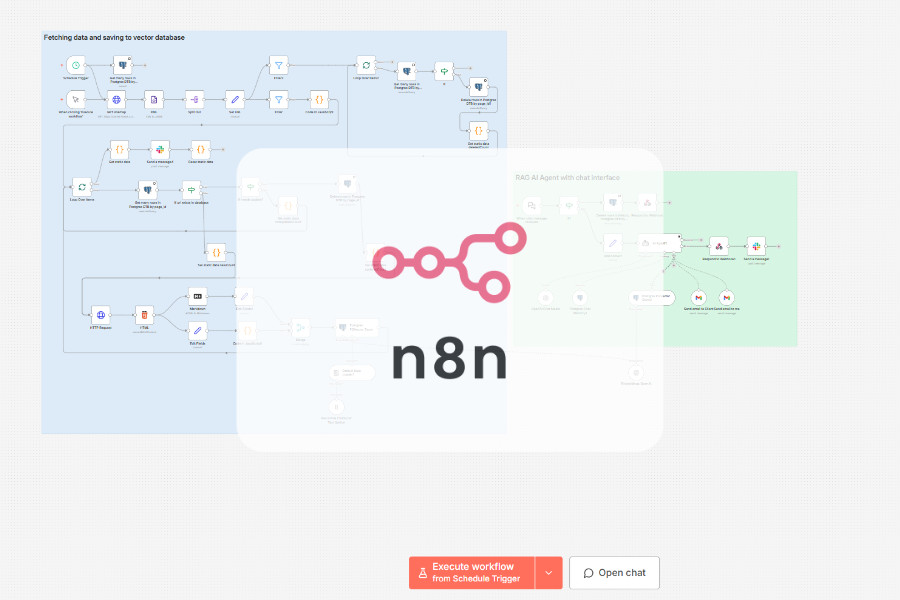
We will create a workflow that will automatically update the data in the vector database once in a while (e.g., once a day at midnight) so that it always corresponds to the current state of information on the web.
Step 5. Adding a chat window to the website
Interaction with the AI agent will take place via a chat window, which we will place in the code on our website. The native chat window already has n8n integrated, so there is no need to write your own chat interface or use a third-party application. We will test whether everything is working as it should. Don’t forget to add your website to CORS.
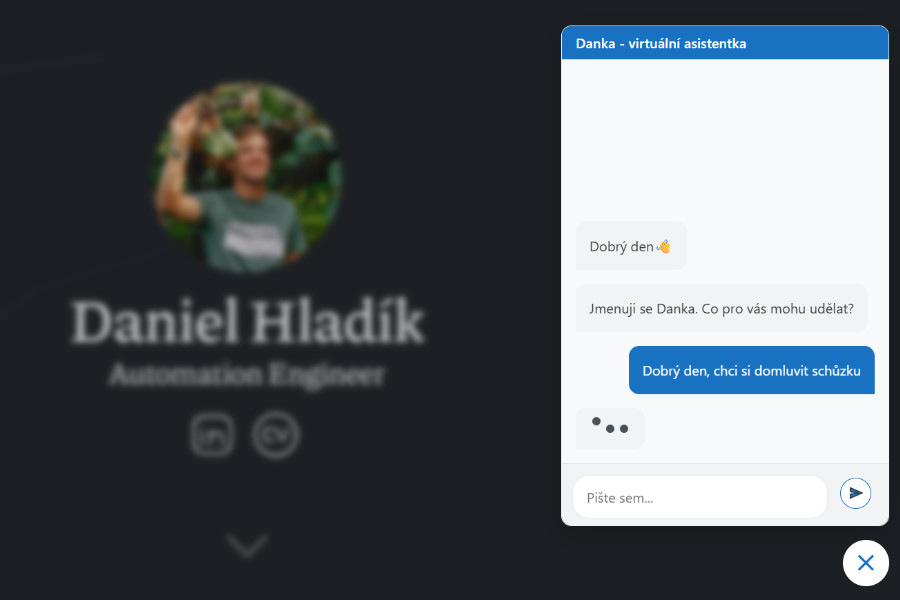
Try the chatbot directly on my website Chat with Danka, my virtual assistant, right here and now (switch to Czech version). There should be a chat bubble in the bottom right corner. Don’t be afraid to try out how Danka will respond to you. Feel free to send me feedback via email directly through the chat window.
Summary: How it all works in a nutshell
When a user submits a query, the following sequence of events takes place in n8n:
- Intent analysis: AI determines whether the user is asking for information or wants to do something, such as send a message or schedule a meeting.
- If it is a query to the knowledge database:
- Search: The agent searches the vector database.
- Refinement: It selects the most relevant pieces of information.
- For actions:
- Action: If the user wants to leave a message, for example, the agent uses an email tool to send the message. However, if it does not have everything it needs to send the email, it will ask for the remaining information in the next step.
- Response generation: AI composes a comprehensible response combining data from the database.
What to watch out for
- Quality and processing of input data - RAG is only as good as your source data. Always keep your data up to date, well structured, and free of duplicates or unnecessary information.
- Data security and privacy - Set clear boundaries for the agent regarding what data it can access. Given the sensitivity of the data, it is necessary to consider where you are sending the data from and to, and who can handle it (GDPR). It is also important to keep in mind that most free LLM models are related to training the model on your data. In some cases, it is necessary to consider using your own local model (e.g., via Ollama), which ensures that the data never leaves your own server. If the model does not have built-in protection against attempts to misuse it via prompt injection, implement this protection in the system prompt.
- Cost and efficiency - Monitor token consumption. For agent systems, more expensive models are more reliable, but it is not always necessary to use a sledgehammer to crack a nut. For simpler tasks, you can try cheaper models and save significant costs. Also, keep an eye on the iteration limit so that the agent does not get stuck in a loop while searching for an answer and unnecessarily deplete your budget.
- Human-in-the-loop - For critical actions, such as sending important emails or deleting data in CRM, don’t leave AI completely alone. Add a human approval step to prevent irreversible mistakes.
- Logging and monitoring - Logging is your best tool for subsequent system optimization.
In this article, I did not go into too much detail about the actual construction of the workflow within n8n. The goal was to give you, the readers, an idea of how RAG works and how anyone can create their own AI chatbot agent.
Want your own chatbot on your website, but don’t know how to go about it? Send me a message or schedule a FREE 30 min consultation with me.