BodyLog - How I created my first fitness app
The story of how, after 8 years of recording data in Excel, I wrote my own web application and what I learned from it.
I didn’t study IT, but I’ve always been tempted to create my own application. I wanted something that would have a real impact on my life and not just be another “practice” project that would end up in a drawer. And that’s how BodyLog App came about.
Article content:
- Why did I choose an app for tracking body measurements
- I approached it with caution
- What I struggled with most and what I learned
- AI - Teacher on call
- What can the app do
Why did I choose an app for tracking body measurements
For the past eight years, I have been keeping records of my physique in Excel. Not that I am a professional bodybuilder, but I have always been interested in how my body changes over time. My motto is: “If you don’t measure it, you can’t manage it.” However, a table of numbers without context becomes confusing over time, and I felt it lacked the right visualization of the “evolution” of the body over time—although, let’s be honest, the passing years (and pounds) are visible in some areas even without a graph.
This old Excel spreadsheet became the ideal candidate for my first app. Although there are countless fitness apps on the market, I didn’t want to compete with them. I wanted to build my own customized solution and, above all, learn everything that development entails – from the initial database design to deployment on a production server.
„If you don’t measure it, you can’t manage it.“
When I started learning programming about a year and a half ago, I thought I could create an application and do something practical that I could use myself. This resulted in an application that I named BodyLog as a working title.
I approached it with caution
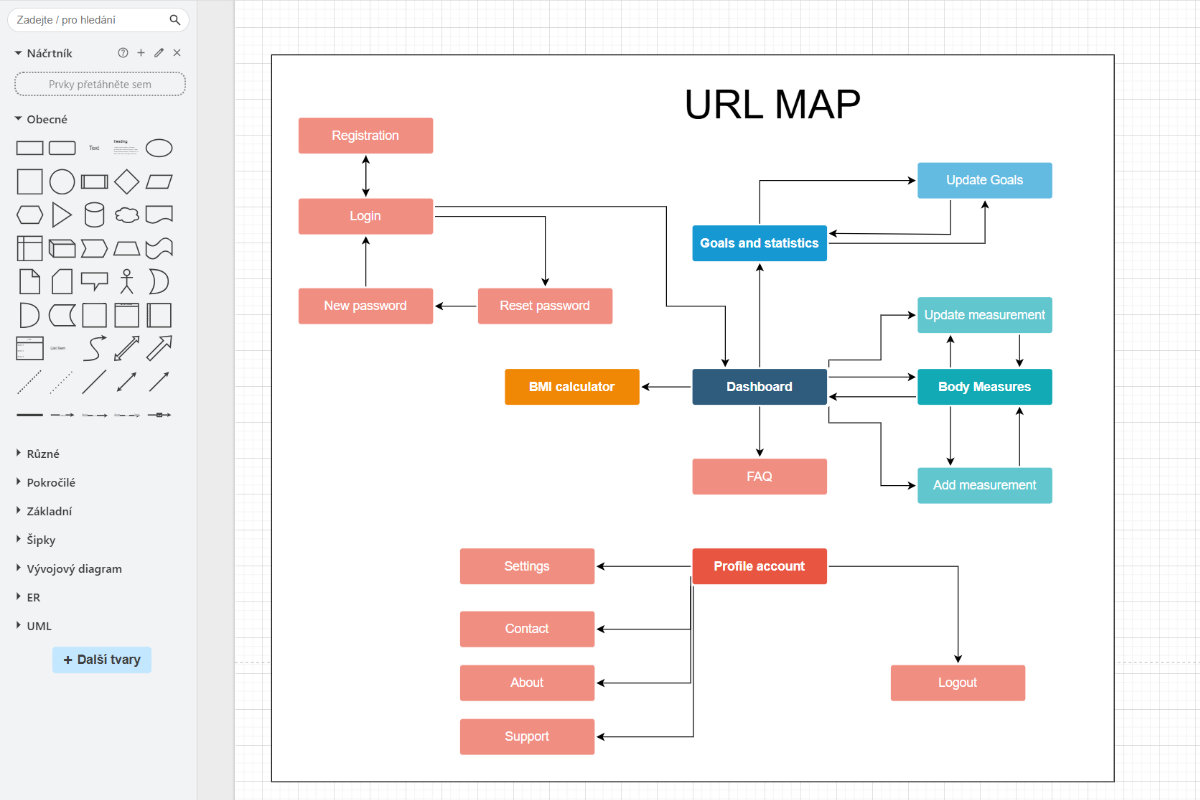
I designed database models, table by table, and their mutual connections. At that time, I wasn’t using AI on a large scale yet, so I designed the entities the old-fashioned way, first on paper, and then connected them into a logical whole. Using the draw.io tool, I sketched out what pages would appear in the application. I also listed them in Excel and added slug URLs, titles, and descriptions (where relevant).
Once I had the basic architecture of the application ready, I threw myself into the visuals. I created a design in an online application, which I then used as a guide during the development of the application.
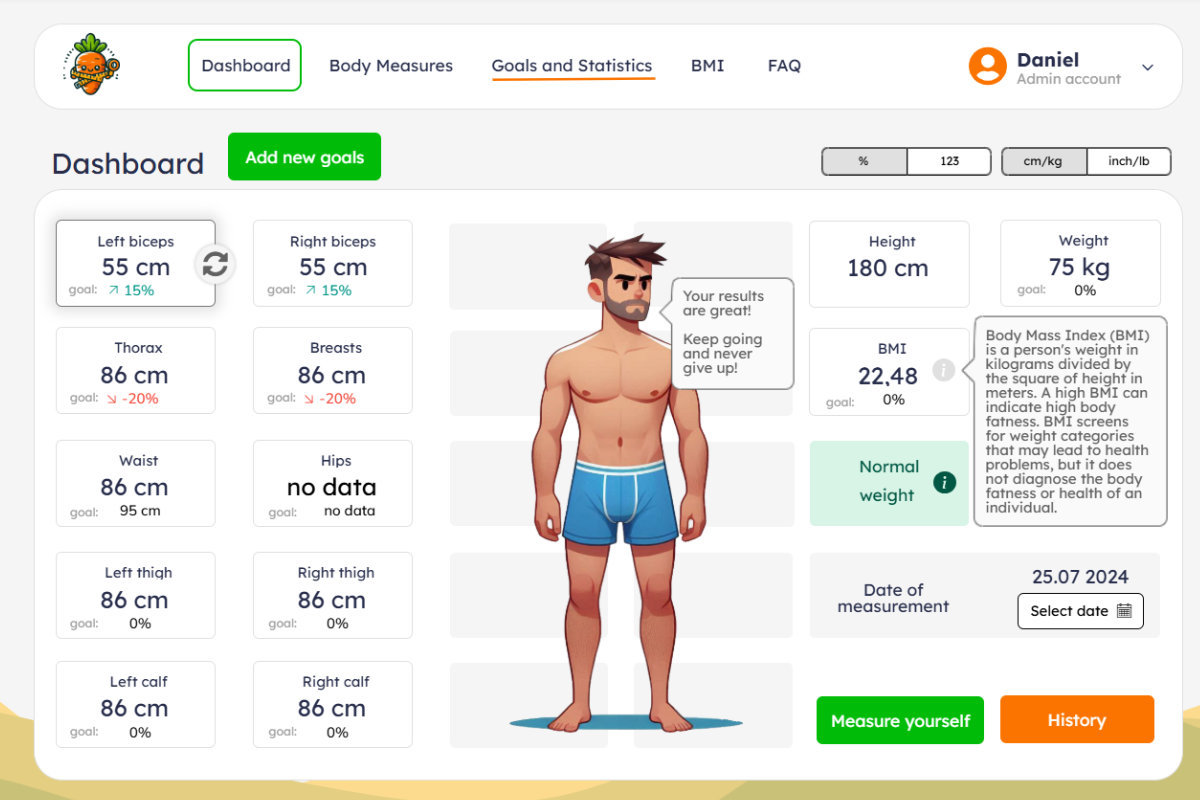
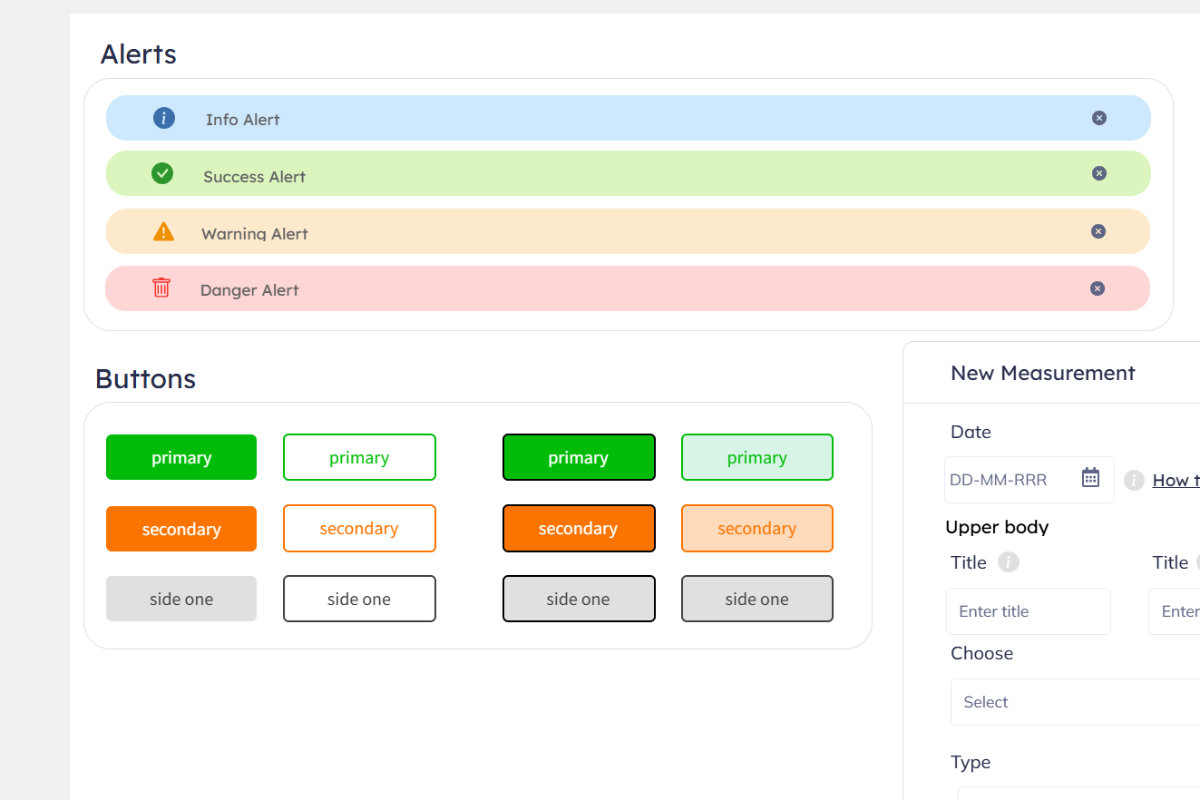
I created the application in a few weeks, but I only used it on my local computer. It didn’t have translations or unit conversions. I didn’t release it into the production world for almost a year. Until now, that is.
I redesigned and improved some things, but the basics remained more or less the same. It’s not a complicated application, so I didn’t even have to systematically record the changes anywhere; I just worked on them gradually.
Why did I use the carrot symbol in app branding? Because. It’s a cliché. Eat carrots and you’ll be as healthy as a horse, they say (or did I get that wrong?). There’s no logical reason for it. It was just the first thing that came to mind.
What I struggled with most and what I learned
What roles I gradually tried out:
- Software architect and analyst: Before I wrote the first line of code, I had to figure out exactly what I was building. I designed a data model so that the individual entities (user, record, unit) would communicate correctly, and I drew up the application data flow.
- Graphic designer: I discovered that designing the visual appearance of the application was not just about colors and stylish buttons (UI), but also about how the user would use it (UX).
- Backend developer: I had to develop logic that converts units, monitors user permissions, and ensures that the right data is sent to the right place.
- Frontend developer: I translated the design into reality using HTML, CSS (mostly Bootstrap), and JavaScript so that the application would look and behave great on both desktop and mobile displays.
- Tester: The tester role was closest to my experience, but honestly, I probably slacked off the most. Of course, I tried clicking through the application, but I left the more detailed testing to my friends.
- Project manager: I had to learn to say “no” to new features in order to finally get the basic version (MVP) to users. And there were, and still are, a lot of ideas in the backlog.
What I learned:
- Wireframe model creation: I realized that starting to code without a well-thought-out sketch and application logic is a road to hell. Good planning and preparation at the beginning of the project saved me dozens of hours of rewriting code.
- Working with databases and relationships (ORM): I learned how to type variables and effectively link tables.
- Localization (i18n): I implemented a system that allows the application to speak Czech and English and correctly work with date and time formats in different regions.
- Git and GitHub: I mastered code versioning. I am no longer afraid of “breaking” something in the application because, thanks to Git, I can always revert to a working version.
- Docker: I learned how to “package” the application into a container. Thanks to this, it runs exactly the same on my laptop and on the server.
- MVC / MVT architecture: I understand how to separate data from appearance and logic. This is key to keeping the code clear as the application grows.
- Automatic deployment via GitHub Actions: I set up a process where the application is automatically tested and uploaded to the server after every change in the code.
- Server administration: I tried configuring the production environment, working in the terminal via SSH, and securing the application so that it was ready for real-world operation.
AI - Teacher on call
As a beginner in programming, AI was an endless source of knowledge and a mentor all in one for me. Instead of spending hours reading Stack Overflow, I asked it about specific concepts. I felt like a small child discovering the world and constantly asking, “Why does it work that way?”
On the other hand, even though AI helped me a lot, it sent me down a dead end several times with non-existent libraries. It taught me the most important rule: Trust, but verify. I had to understand and validate every line that AI suggested before I left it in the project.
Today, AI can write a simple web application on its own, and you don’t even need to know how to program. You just need to know what you want and be able to formulate it correctly.
What can the app do
Enough talk, let’s get to what you, the reader, are interested in. What can you use this app for?
I built the BodyLog App to be minimalistic, responsive, visually appealing, and intuitive to use. Here’s a rough list of what it can do:
- Recording of 15+ body measurements: From the classics such as weight, waist, and chest to details such as left/right forearm or calves. This gives you a complete map of your body.
- Automatic calculation of metrics: BMI, % body fat, and WHR are calculated for each measurement record.
- Definition of personal goals and their deadlines You say to yourself, “I want to lose weight for my swimsuit by summer,” set a deadline of June 30, and then “just” do something to make it happen and monitor whether you are succeeding or not.
- Smart unit switching: The app adapts to you. If you prefer centimeters and kilograms, you use them. If you’re used to imperial units, with one click in your profile you can switch the entire app (including history) to inches and pounds.
- Interactive graphs and trends: Numbers in a table are fine, but a graph with long-term trends shows you the truth. You can immediately see if your waistline is shrinking while your biceps are growing. Or how your weight fluctuates throughout the year, whether due to the yo-yo effect or the natural cycle of the seasons.
- Notes for each day: For each measurement, you can add a note about how you felt, whether you had just finished a workout, or if it was a “cheat meal” day and you stuffed yourself to bursting. Context is key when it comes to data.
- Secure access to your data: Each user has their own profile. Only you can see your measurements.
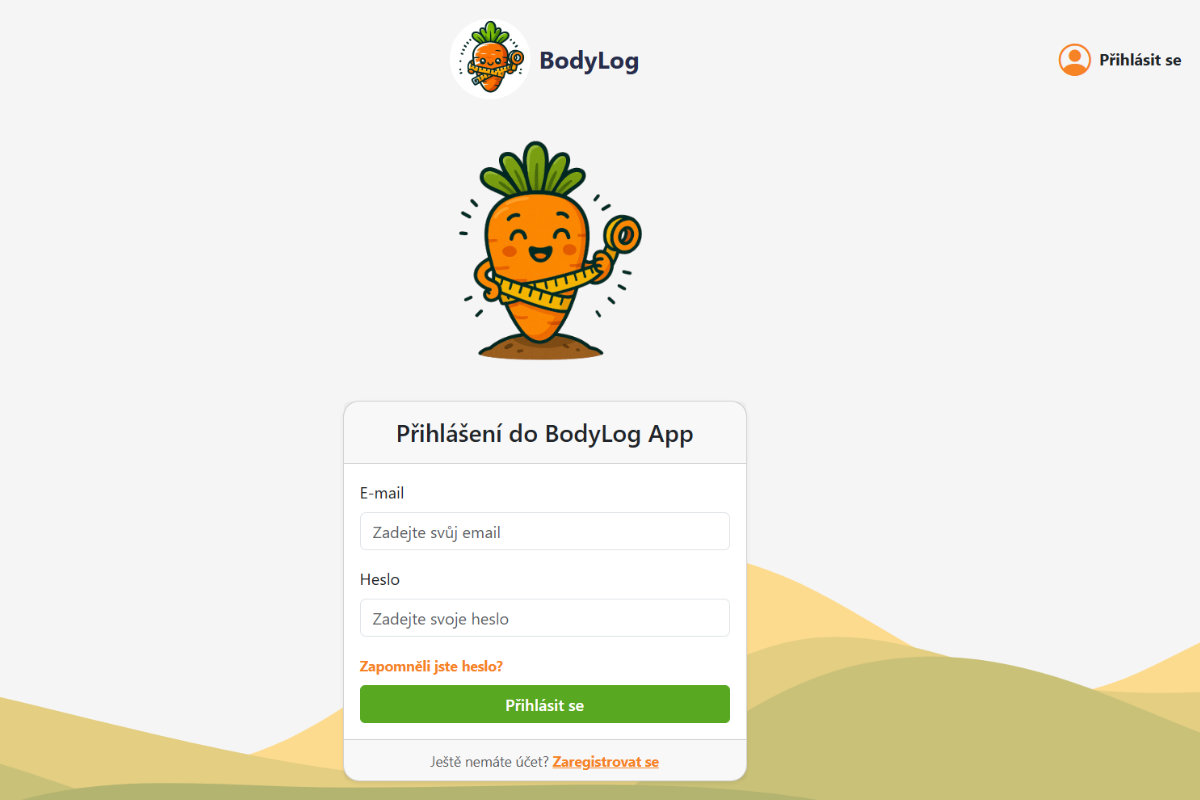
If I find that there is interest in BodyLog, I may move the application to a separate domain and come up with a better name. I already have a list of features in mind that I would like to add. But first, I want to hear your feedback :)
P.S.: I expect that the app has some bugs and may crash due to an unhandled 500 server error. I haven’t managed to do that yet. However, if such a case occurs, I would appreciate it if you reported the error to my email address info@daniel-hladik.cz. Thanks :)
I would appreciate your feedback The application is available on my subdomain bodylog.daniel-hladik.cz. If you are interested in how I got on with my very first web application and want to track your body measurements, sign up and try it out. It is completely free and ad-free.
Need help automating your daily tasks? Email me or schedule a FREE 30 min consultation.